Monitors
10 products found
Samsung SyncMaster BX2440
Overview
The Samsung SyncMaster BX2440 is a 24-inch, 16:9 widescreen monitor designed as a budget-friendly everyday display. It offers a Full HD 1920 x 1080 resolution on a TN-panel, a 60Hz refresh rate and a 5ms grey-to-grey response time — a straightforward choice for general productivity, web browsing and multimedia.
Panel and performance
This model uses a TN (Twisted Nematic) LCD which delivers fast pixel response and very low input lag compared with older IPS variants of the same era. Typical characteristics include a 5ms GTG response that keeps motion blur and ghosting to a minimum for casual video and gaming, a typical static contrast ratio around 1000:1 and brightness in the ~200–250 cd/m² range. Note TN panels trade wider viewing angles and colour accuracy for speed — expect narrower vertical viewing angles and less saturated colours than modern IPS or VA panels. At 24" with 1920x1080 the pixel density is roughly 92 PPI, which gives sharp text and UI elements for office work and full HD video playback.
Practical use cases
At 1080p and 60Hz the BX2440 suits daily office productivity (spreadsheets, email, document editing), web browsing and watching Full HD video. The 5ms response time makes it perfectly fine for casual and older competitive gaming titles, but it is not aimed at high-refresh esports where 120–240Hz panels shine. Colour-critical tasks like professional photo editing or print-proofing are not ideal on this TN panel — for accurate colour work an IPS or calibrated monitor is recommended.
Specs summary
- Screen size: 24" diagonal, 16:9 aspect ratio
- Resolution: Full HD 1920 x 1080 (approx. 92 PPI)
- Panel type: TN (Twisted Nematic)
- Refresh rate: 60Hz; Response time: 5ms (GTG)
- Contrast & brightness: ~1000:1 static contrast, ~200–250 cd/m² typical
- Inputs: Analog VGA (D-Sub) and DVI-D digital input (model-dependent)
- Adjustability: basic tilt on the stand
Who this monitor is ideal for
The SyncMaster BX2440 is ideal for home and office users who need a reliable 24" Full HD display for everyday computing, watching videos and light gaming. It fits buyers who prioritise snappy response and affordability over wide viewing angles and colour-critical performance.
R 700.00

Samsung S27C350H 27" Full HD LED (1920 x 1080) Glossy Monitor
Overview
The Samsung S27C350H is a 27-inch Full HD monitor with a 1920 x 1080 resolution and LED backlight in a glossy finish. At 27", Full HD maps to roughly 2,073,600 pixels and a pixel density of about 81.6 PPI — delivering large screen real estate with readable text and punchy video playback at native 1080p.
Real‑world performance and panel characteristics
The LED backlight gives the panel a thin profile and energy-efficient illumination compared with older CCFL designs. The glossy coating increases perceived contrast and colour pop, which makes streaming video and games look vivid, but it will show reflections in bright rooms—so position the monitor away from direct light sources for the best results. At native 1920x1080 the panel is well suited to 1080p video playback and console gaming at 60Hz; text and UI elements are sized comfortably on a 27" screen, though sharper 1440p or 4K panels are better if you need very fine detail or more desktop working space.
Practical use cases
This screen is ideal for everyday office work, web browsing, spreadsheets and watching Full HD movies where the monitor displays 1:1 pixel mapping for crisp 1080p video. Gamers using consoles or mid-range PCs will find the native resolution a good match for smooth 60Hz performance without demanding top-tier GPU power. It also works well as a second display in a multi-monitor setup. For colour-critical photo or print work, a higher-end panel with a matte finish and factory colour calibration is recommended, as glossy finishes and consumer LED panels can exaggerate saturation and be less consistent than professional IPS/VA colour-grade monitors.
Specs summary
- Screen size: 27-inch
- Resolution: Full HD 1920 x 1080 (≈2,073,600 pixels)
- Backlight: LED (energy-efficient, slim profile)
- Finish: Glossy screen surface (punchy colours, reflective)
- Typical refresh: 60Hz (matches most desktop and console usage)
Who this monitor is best suited for
Best for home and office users who want a large 27" screen for productivity, streaming and 1080p gaming without the higher cost of 1440p/4K panels. Also a sensible choice for budget-conscious gamers on consoles or mid-range PCs and anyone wanting a vivid, space-filling display for media consumption rather than colour-critical professional work.
R 1,800.00
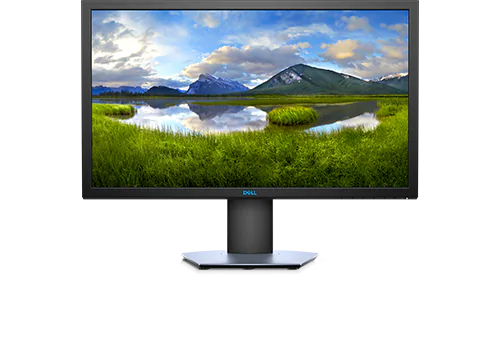
DELL S2419HGF 24" Full HD 144Hz Refresh Rate
Overview
The DELL S2419HGF is a 24-inch Full HD (1920x1080) display with a 144Hz refresh rate — built to deliver smooth motion and low-latency feel for competitive gaming and fast desktop work. The 24" size hits a practical pixel density (~92 PPI) that keeps text sharp while making high frame rates easy to achieve with mainstream GPUs.
Performance & Real-world Use
A 144Hz panel like the S2419HGF reduces motion blur and perceived input lag compared with 60Hz screens, making it ideal for esports titles (CS:GO, Valorant, Overwatch) where frame timing and responsiveness matter. Paired with a mid-range GPU (for example GTX 1660 Super / RTX 3050 / RX 6600) you can routinely reach 144 FPS on competitive settings; more demanding AAA titles will need a stronger GPU (RTX 3060 / RTX 4060 class or better) to sustain high frame rates at higher detail.
Practical Considerations
At 1920x1080 on 24", this monitor balances performance and system requirements — you get smoother gameplay without the GPU cost of higher resolutions. It's also great for general productivity: faster refresh makes scrolling, window movement and animations feel more fluid. For colour-critical photo or video work, larger wide‑gamut IPS panels are still preferable; the S2419HGF is optimised for speed over absolute colour fidelity.
Specs Summary
- Screen size: 24" (60.96 cm)
- Resolution: Full HD 1920 x 1080
- Refresh rate: 144Hz for high-frame-rate gaming
- Pixel density: ~92 PPI — sharp for desktop use at 24"
Who this monitor is best for
The DELL S2419HGF is ideal for competitive and casual gamers who prioritise high refresh and responsiveness at 1080p, plus users who want a snappy, fluid desktop experience without the GPU cost of higher resolutions. It suits gamers using mid-range GPUs for esports and streamers who favor frame-rate over ultra-high resolution, while photographers and colour-critical creators may prefer a dedicated wide-gamut panel instead.
R 1,800.00

24" G32A FHD, 165Hz Odyssey Gaming Monitor
Overview
The 24" G32A FHD 165Hz Odyssey Gaming Monitor delivers a focused 1080p gaming experience with a high 165Hz refresh rate aimed at competitive players and fast-action titles. With a native Full HD (1920x1080) resolution on a 24-inch panel (≈92 PPI), this screen balances sharp text and UI clarity with the framerates needed for esports and fast-paced shooters.
As an Odyssey-series display, it prioritises smooth motion and low latency. The 165Hz refresh rate noticeably reduces motion blur and makes mouse movement and camera pans feel more immediate compared with 60Hz or 75Hz screens. This is especially beneficial in games like Valorant, CS:GO and Fortnite where frame-rate advantage directly improves responsiveness.
Real‑world performance and features
At 1920x1080 the GPU workload is modest, so modern mid-range graphics cards can push high frame rates to take full advantage of 165Hz — expect high settings at 1080p with GPUs from the GTX 1660 Super / RTX 3050 class upward for many titles, and easy 144+ FPS in esports titles with cards like the RTX 3060 or AMD RX 6600 XT. The monitor supports common multiplayer and competitive workflows, and typically includes both DisplayPort (to reach the full 165Hz) and HDMI inputs for broader device compatibility.
Beyond gaming, the 24" FHD canvas is a practical choice for everyday office work and video editing timelines at 1080p: you get accurate pixel mapping for 1080p footage and a responsive display when scrubbing timelines. While it’s optimised for frame rate and responsiveness, expect good contrast and deep blacks from the Odyssey family panels — ideal for mixed-use setups where gaming and productivity share the same screen.
Specs summary
- Screen size: 24 inches
- Resolution: Full HD 1920 x 1080 (≈92 PPI)
- Refresh rate: 165Hz for smooth, high-frame-rate gaming
- Model: Odyssey G32A (Odyssey gaming series)
- Inputs: Typically DisplayPort for full 165Hz and HDMI for wider device compatibility
Who this monitor is best suited for
This 24" FHD 165Hz Odyssey monitor is ideal for competitive and casual gamers who want high refresh rates at 1080p without the need for a high-end GPU. It's also a strong pick for streamers or content creators working primarily in 1080p timelines, and for professionals who want a responsive main screen for office work and web-based tools. In short: competitive gamers, FPS players and anyone who values smooth motion and low input lag at 1080p will get the most from this monitor.
R 1,900.00

Samsung P2770 Series Business Monitor
Overview
The P2770 Series is a 27-inch business-class monitor engineered for day-to-day office productivity. The name denotes a 27" display size and a design focus on business workflows: comfortable ergonomics, slim bezels for multi-monitor setups, and image fidelity tuned for text and spreadsheets rather than gaming. Its feature set is ideal for prolonged desk use, conference calls and multi-window productivity.
Real-world display details & performance
27-inch monitors in this class commonly use IPS or high-quality VA panels to deliver wide viewing angles and accurate colours — important when you’re sharing the screen in meetings. At 27", Full HD (1920×1080) yields roughly 82 PPI (large readable text and UI), while QHD/2560×1440 options increase pixel density to about 109 PPI for sharper detail and more usable desktop area for large spreadsheets or side-by-side documents. Expect good out-of-the-box colour uniformity for office tasks, low blue-light modes and flicker-free backlights to reduce eye strain during long workdays.
Connectivity, ergonomics & business features
Business monitors in the P2770 family typically offer a practical set of ports such as HDMI and DisplayPort for modern notebooks and desktops, plus USB passthrough or a USB hub on higher trims to simplify peripherals. The stand usually provides height adjustment, tilt and swivel — and VESA mount compatibility for arms or multi-monitor stands. Look for anti-glare coating for comfortable daytime viewing and built-in cable management to keep desks tidy.
Specs summary
- Screen size: 27-inch (P2770 series)
- Form factor: Business / productivity-focused display
- Typical panel types: IPS or VA (wide viewing angles, good colour)
- Common resolutions in this class: Full HD (1920×1080) or QHD (2560×1440) — higher res gives sharper text and more workspace
- Ergonomics: height-adjust, tilt, swivel, VESA mount compatible
- Business features: narrow bezels for multi-monitor setups, flicker-free, low-blue modes, practical connectivity (HDMI/DP, possible USB hub)
Who this monitor is best suited for
The P2770 Series is ideal for office professionals, administrators and knowledge workers who need a roomy 27" workspace for large spreadsheets, document editing, web conferencing and multitasking. Choose a QHD-equipped unit if you do detailed design, photo editing or want more screen real estate; Full HD variants suit general office use where readable text and cost-efficiency matter most.
R 1,200.00
Dell G2722HS 27-inch Full HD 1ms LCD165 Hz
Overview
The Dell G2722HS is a 27-inch Full HD (1920×1080) LCD monitor with a manufacturer-rated 1ms response time. Its large 27" screen combined with a 1080p resolution gives a viewing experience tuned toward fast-paced gaming and general desktop work where motion clarity matters more than pixel density.
Performance and image details
Full HD (1920×1080) on a 27-inch panel results in a pixel density of roughly 81.6 PPI, which is ideal for competitive gamers who prioritise higher frame rates and clearer motion over the finer text and image crispness of higher-resolution screens. The 1ms rating (manufacturer-specified) indicates very fast pixel response to reduce ghosting and motion blur in fast action—beneficial for FPS and racing titles. As an LCD, it offers consistent backlighting and quick transitions compared with older display technologies; paired with a high refresh-rate source, it delivers very smooth motion.
Practical use cases
This monitor handles esports and high-frame-rate 1080p gaming exceptionally well — expect excellent clarity in fast movement and minimal trailing. For PC gamers with mid-range GPUs it's straightforward to push high FPS at 1080p. It's also a solid choice for office work, web browsing and streaming media. However, for photo and video editors who need tight pixel-level detail or colour-critical work, a higher-resolution (1440p/4K) or wide-gamut panel would be preferable over 27" Full HD.
Specs summary
- Model: Dell G2722HS
- Screen size: 27 inches
- Resolution: Full HD 1920 × 1080
- Panel type: LCD (manufacturer-specified)
- Response time: 1 ms (manufacturer-rated, reduces motion blur/ghosting)
Who this is best for: Competitive and casual gamers who want a fast 27" screen for 1080p high-FPS play, plus users who need a roomy desktop for productivity and media. Not the top pick for pixel-perfect photo editing or those who prefer the extra sharpness of 1440p/4K at this screen size.
R 2,600.00

MSi PRO | MP251 | 24.5" | FHD | Business & Productivity Monitor
MSI PRO MP251 — 24.5" Full HD business display
The MSI PRO MP251 is a 24.5" Full HD (1920 x 1080) monitor designed for business and productivity. The 1920x1080 FHD resolution delivers clear text and sharp interface elements on a compact 24.5" canvas, making it easy to fit two displays side‑by‑side on most desks.
At 1920 x 1080 you get about 2.07 million pixels and a pixel density of roughly 90 PPI (pixels per inch). That density gives very readable small text and good desktop space for spreadsheets, email, browser windows and remote‑meeting apps without scaling. The LED‑lit FHD panel ensures efficient power use and reliable 1080p video playback for training, presentations or internal video conferencing.
Practical use cases include everyday office productivity (Word, Excel, Outlook), multi‑window workflows, web development, remote collaboration and streaming or reviewing Full HD video. The MP251's compact footprint and narrow bezels make it a solid choice for dual‑monitor setups in small home offices, call centres or corporate desks. While not a 4K editing display or high‑refresh gaming panel, it comfortably handles light photo editing and 1080p video work.
Specs summary
- Model: MSI PRO MP251
- Screen size: 24.5 inches (diagonal)
- Resolution: Full HD 1920 x 1080 (FHD)
- Pixel density: ~90 PPI (approximate)
- Panel lighting: LED backlight (standard for modern business monitors)
- Category: Business & Productivity
Best suited for office workers, students and home‑office users who need a reliable 24.5" FHD display for spreadsheets, browsing, video calls and multi‑monitor productivity setups; also a good pick for light content review of 1080p video and general administrative use.
R 1,700.00

Rogueware W2213SG 21.5″ Full HD Monitor (RW-W2213SG)
Overview
The Rogueware W2213SG (RW-W2213SG) is a 21.5-inch Full HD monitor with a native resolution of 1920 x 1080 pixels. At 21.5 inches that resolution gives you roughly 102 pixels per inch (PPI), which produces clear text and sharp 1080p video playback suitable for everyday computing and media consumption. The compact footprint makes it a practical choice for smaller desks and multi-monitor setups.
Performance & real-world use
Full HD (1920x1080) is the industry standard for general productivity and HD content. On a 21.5" panel you can expect crisp office documents, web browsing, spreadsheets and HD video to look clean without oversampling. For creative work it provides a workable 1080p preview canvas for photo edits and 1080p video timelines; for final colour-critical work you may want a larger, higher-resolution or colour-calibrated display.
Gaming and multimedia are well within this monitor's remit: paired with an integrated or entry-to-mid-level GPU, it will easily handle 1080p gaming at playable frame rates. Casual and esports titles run smoothly on typical 1080p setups, while more demanding AAA games will be comfortable at medium settings depending on your graphics hardware.
Design & practical notes
The W2213SG's 21.5" size balances desktop space and usable screen area — ideal for home offices, student desks or as a secondary display. The 16:9 aspect ratio is standard for video and gaming, so media fills the screen without pillarboxing. Because the model name specifies Full HD at this size, you can plan your workspace and GPU expectations around native 1080p performance and clarity.
Specifications summary
- Model: Rogueware W2213SG (RW-W2213SG)
- Screen size: 21.5 inches
- Resolution: Full HD 1920 x 1080 (16:9)
- Approx. pixel density: ~102 PPI
- Category: Monitor — compact Full HD display for everyday use
Who this is ideal for: users who need a compact, affordable Full HD monitor for everyday office work, web browsing, HD video playback and casual gaming; students, home office workers and anyone building a dual-monitor setup will appreciate the space-saving 21.5" size and reliable 1080p clarity.
R 1,400.00

Samsung BX2450 Series Business Monitor 60Hz
Overview
The Samsung BX2450 Series is a 24-inch class business monitor designed for everyday office environments. It delivers a Full HD 1920x1080, 16:9 image at a standard 60Hz refresh rate with typical 5ms response times — a configuration tuned for text clarity, spreadsheets, video calls and reliable day‑to‑day use.
What’s inside and why it matters
This BX2450 Series monitor focuses on the practical specs that matter in a corporate or home office setup: a 24" Full HD panel gives roughly 90–100 PPI, which keeps text crisp and windows comfortable for multitasking. The 1920x1080 resolution is well matched to this screen size, so UI scaling is straightforward and there’s no wasted GPU power. With a 60Hz refresh rate and typical 5ms grey‑to‑grey response, the display is flicker‑free and responsive for video conferencing and playback — though it isn’t aimed at competitive high‑refresh gaming.
Practical use cases
The BX2450 is ideal for business users who need dependable image quality and ergonomics: office productivity (Word, Excel, Outlook), web browsing, video conferencing, and 1080p media playback all run smoothly. It’s a great fit for multi‑monitor setups — the 24" size balances screen real‑estate with desk space. Content creators doing light photo or video editing will find it serviceable for editing at 1080p, but professionals needing colour‑critical work should look to higher‑end colour‑accurate displays.
Specs summary
- Brand & series: Samsung BX2450 Series (Business Monitor)
- Screen size: 24" class (24-inch family)
- Resolution: Full HD 1920 x 1080 (16:9)
- Refresh rate: 60Hz (standard business class)
- Typical response time: ~5ms GtG (suitable for video and office use)
- Design notes: compact bezel, suitable for multi‑monitor layouts and VESA mounting (common in business models)
Who this monitor is best suited for
The Samsung BX2450 Series is aimed at business users, home office workers and anyone who needs a reliable 24" Full HD display for daily productivity, web conferencing and media playback. It’s excellent for multi‑monitor desks in offices, call centres and study areas where consistent, fuss‑free performance is the priority rather than gaming‑grade refresh rates or colour‑critical professional editing.
R 1,000.00